
Adobe Animate is a popular animation and multimedia design tool used by artists, designers, educators, and developers around the world. Known for its flexibility and ease of use, the software allows creators to produce 2D animations, interactive content, and web-based visuals across multiple platforms. Whether you are new to animation or exploring tools for digital storytelling, Adobe Animate offers a wide range of creative possibilities.
What Is Adobe Animate?
Adobe Animate is a professional animation software developed by Adobe and is part of the Adobe Creative Cloud suite. It evolved from Adobe Flash and has been redesigned to support modern animation standards such as HTML5, WebGL, and video formats.
The software is primarily used for creating 2D animations, interactive graphics, banners, cartoons, and simple games. Its timeline-based workflow makes it familiar to anyone with basic animation or design experience.
Key Features of Adobe Animate
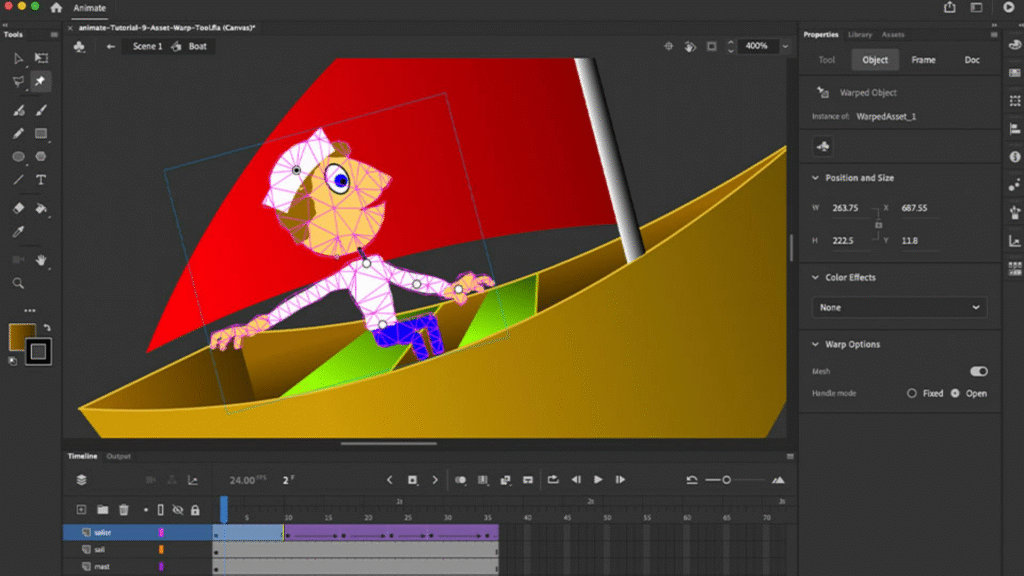
Adobe Animate includes a set of powerful tools designed to support both beginners and advanced users.
Some of its most notable features include:
- A timeline and layer-based animation system
- Vector-based drawing tools for scalable graphics
- Support for frame-by-frame and tween animations
- Audio synchronization and lip-sync tools
- Export options for HTML5 Canvas, video, GIFs, and more
The software also integrates smoothly with other Adobe applications such as Photoshop, Illustrator, and After Effects, allowing for an efficient creative workflow.
What Can You Create with Adobe Animate?
Adobe Animate is widely used across multiple industries due to its versatility.
Common uses include:
- 2D character animation and cartoons
- Interactive web content and advertisements
- Educational animations and presentations
- User interface animations
- Simple game assets and animations
Because it supports modern web standards, Adobe Animate remains relevant for web and mobile-based projects.
Who Should Use Adobe Animate?
Adobe Animate is suitable for a wide range of users.
It is ideal for:
- Content creators producing short animated videos
- Beginners learning the basics of animation
- Graphic designers expanding into motion design
- Educators creating interactive learning materials
- Web designers building animated elements
While it may not replace high-end motion graphics tools for complex visual effects, it excels at clean, efficient 2D animation.
Advantages and Limitations
Like any software, Adobe Animate has its strengths and limitations.
Advantages include:
- User-friendly interface
- Lightweight compared to advanced animation software
- Multiple export formats
- Strong community and learning resources
Limitations include:
- Limited 3D animation capabilities
- Not ideal for cinematic-level visual effects
- Requires a Creative Cloud subscription
Understanding these factors helps users decide if Adobe Animate fits their creative goals.
Adobe Animate in Today’s Creative Landscape
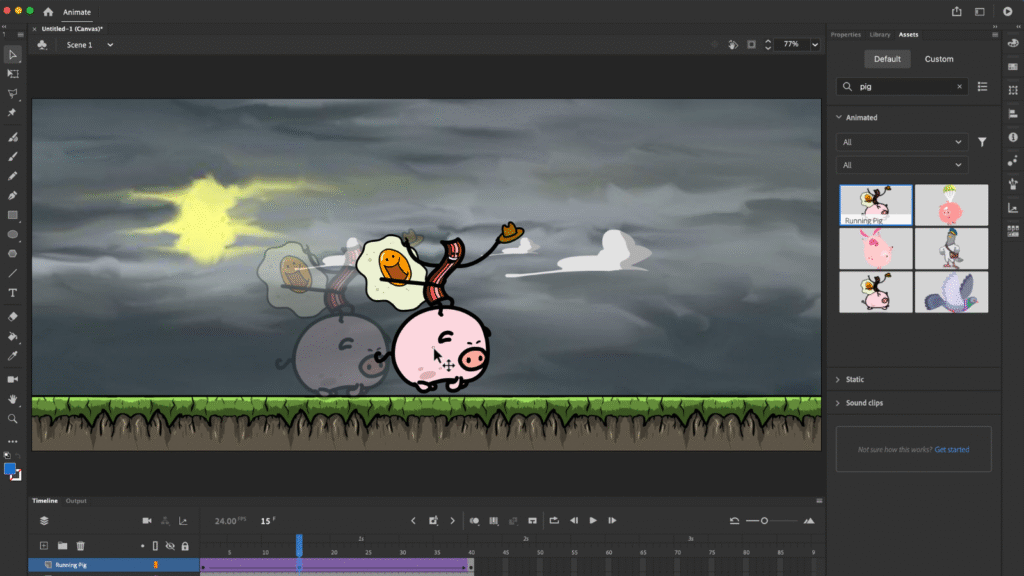
Despite the decline of Flash, Adobe Animate has successfully adapted to modern digital needs. It continues to be used in web animation, e-learning, advertising, and digital media, proving that well-designed 2D animation remains in demand.
With frequent updates and ongoing support from Adobe, the software continues to evolve alongside industry standards.

The Best Smart Home Kitchen Upgrades, & Remodeling Tips
A kitchen remodel starts with choosing the kind of kitchen help you need. Every kitchen…

The Best Web Builders & Hosting Deals Website Builders
Building a website used to feel like a job for developers. You needed Deals to…
The Best Design Tools Top Tools for Creators & Designers
Good design doesn’t always start with expensive software or years of professional experience.Sometimes, it starts…

Best Software Deals 2026 Save Money on Apps & Subscriptions
Software subscriptions can quietly become one of those background expenses you simply stop noticing until…

Smart Home Ideas 2026: Best Devices, Automation & Home Tech
Building a Smart home that works for you shouldn’t feel like managing a tech support…

Smart Home Automation 2026:How to Build a Smarter & Safer Home
The concept of a smart home used to evoke images of 1990s sci-fi movies or…
Final Thought
Adobe Animate is a reliable and versatile tool for anyone interested in 2D animation and interactive content creation. Its balance of simplicity and professional features makes it an excellent choice for beginners while still offering enough depth for experienced users. For creators looking to bring ideas to life through motion, Adobe Animate remains a valuable option.
This article is intended for informational purposes only. Software features, pricing, and system requirements may change over time. Readers are advised to visit Adobe’s official website for the most up-to-date information before making purchasing or usage decisions.
#AdobeAnimate #AnimationSoftware #2DAnimation #CreativeTools #MotionDesign #DigitalAnimation #AdobeCreativeCloud #Anslation #Carrerbook