

If you’re new to web hosting, managing a website can feel confusing at first. From handling files and databases to setting up email accounts and installing applications, there’s a lot going on behind the scenes. This is where a hosting control panel becomes essential. One such control panel is hPanel, designed to make website management simple, fast, and beginner-friendly.
In this guide, we’ll break down what hPanel is, how it works, its key features, and why it’s considered a great option for beginners and non-technical users.
What Is hPanel?

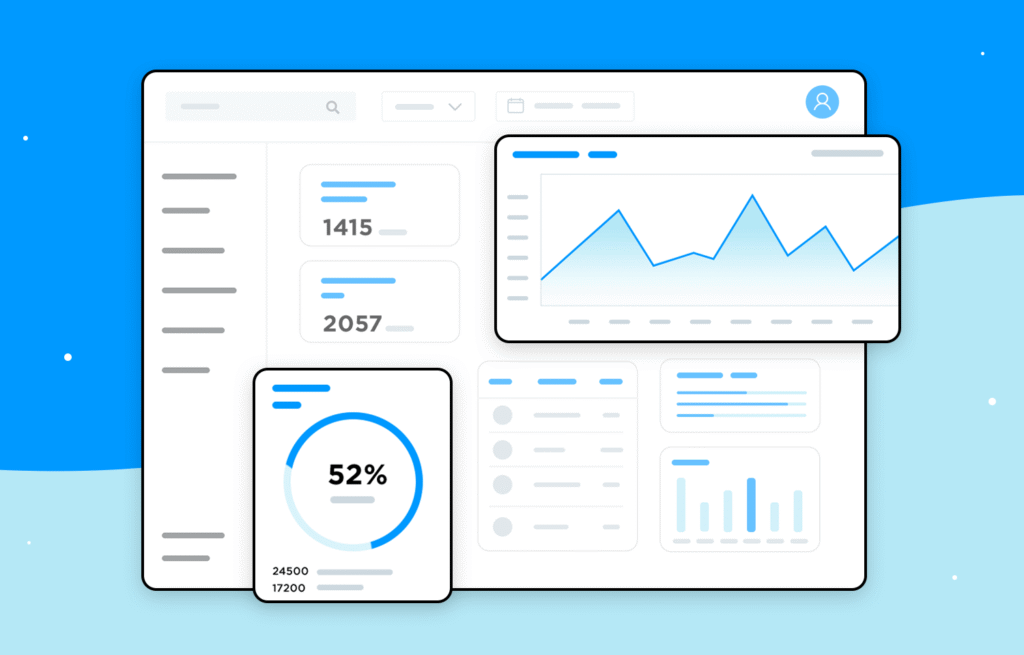
hPanel is a web-based hosting control panel that allows users to manage their hosting account from a single dashboard. Instead of using complex commands or advanced technical tools, hPanel provides a clean visual interface where tasks can be completed with just a few clicks.
With hPanel, you can manage websites, domains, files, databases, email accounts, backups, and security settings without needing deep technical knowledge. Everything is organized in a way that makes sense, even if you’re using a hosting control panel for the first time.
How Does hPanel Work?

hPanel works through your web browser. Once you log in, you’re taken to a dashboard that displays all the essential tools needed to manage your website. Each feature is clearly labeled, making it easy to find what you’re looking for.
Instead of overwhelming users with advanced settings, hPanel focuses on simplicity. Common tasks like installing WordPress, uploading files, or creating an email address can be completed in minutes.
Key Features of hPanel
1. User-Friendly Dashboard
The dashboard is clean and well-organized. Sections are clearly separated, so beginners don’t feel lost while navigating through different tools.
2. Easy Website Management
hPanel allows users to manage multiple websites from one place. You can check resource usage, manage files, create databases, and monitor performance without switching between tools.
3. One-Click Application Installer
Installing applications like WordPress is quick and straightforward. With just a few clicks, your website can be up and running, saving time and effort.
4. Domain and Email Management
You can manage domains, subdomains, and email accounts directly from the control panel. This is especially useful for small businesses and personal websites.
5. Built-In Security Tools
Security features such as SSL management, password protection, and backup options help keep websites safe without requiring technical expertise.
6. Backup and Restore Options
Regular backups can be created and restored easily. This ensures that your data stays safe in case something goes wrong.
hPanel vs Traditional Control Panels
Traditional control panels often come with complex layouts and technical terminology. While powerful, they can be overwhelming for beginners.
hPanel, on the other hand, focuses on:
- Simplicity over complexity
- Clear labels instead of technical jargon
- Faster access to common tools
This makes hPanel especially suitable for beginners, bloggers, freelancers, and small business owners who want to manage their websites without stress.
Who Should Use hPanel?

hPanel is ideal for:
- Beginners with little or no technical background
- Bloggers and content creators
- Small business owners
- Freelancers managing client websites
- Anyone who prefers a clean and simple interface
Advanced users can still benefit from hPanel, but its biggest strength lies in making hosting easy for non-technical users.
Advantages of Using hPanel
- Simple and intuitive interface
- Faster learning curve
- All essential tools in one place
- Time-saving automation features
- Reduced need for technical support
Limitations to Consider
While hPanel is beginner-friendly, it may not offer the same level of advanced customization that some experienced developers expect. Users who rely heavily on complex server configurations might find it less flexible compared to traditional control panels.
Microsoft Windows 11: Features, System Requirements, and Everything You Need to Know
Microsoft Windows 11 represents a major shift in how Windows looks, feels, and works. Rather…

iPhone 18 Pro Max Expected Features (Price, Launch, Camera & More) You Need to Know
Apple’s Pro Max lineup has always represented the very best the company has to offer,…

iPhone Air 2 Rumors: What We Know So Far
Apple fans are no strangers to leaks, speculation, and long stretches of waiting, and the…

Is Apple Launching a Foldable iPhone in 2026? Complete Rumor Breakdown
The smartphone industry has been buzzing with speculation about Apple finally joining the foldable phone…

Latest iPhone Leaks and Rumors: What’s Coming in 2026
Every year, Apple enthusiasts eagerly await news about the next iPhone. As 2026 approaches, rumors…
Adobe Animate Software Explained: Everything You Need to Know
Adobe Animate is a popular animation and multimedia design tool used by artists, designers, educators,…
Final Thoughts
hPanel is a modern hosting control panel built with beginners in mind. Its clean design, easy navigation, and practical features make website management accessible to everyone, even those with no technical background. If your goal is to manage a website without dealing with unnecessary complexity, hPanel is a solid and reliable option.
This article is for informational purposes only. Features, tools, and functionality may change over time. Always review the latest documentation and hosting terms before making decisions related to website management.
#hPanel #WebHostingGuide #BeginnerHosting #ControlPanel #WebsiteManagement #HostingTips #WebHostingBasics #WordPressHosting #Anslation #Carrerbook